Audit streaming provides enterprise-tier customers with the ability to stream their audit events to their chosen security information and event management (SIEM) solution.
Audit streaming is only available from Octopus 2022.4 onwards.
Configure Audit Stream
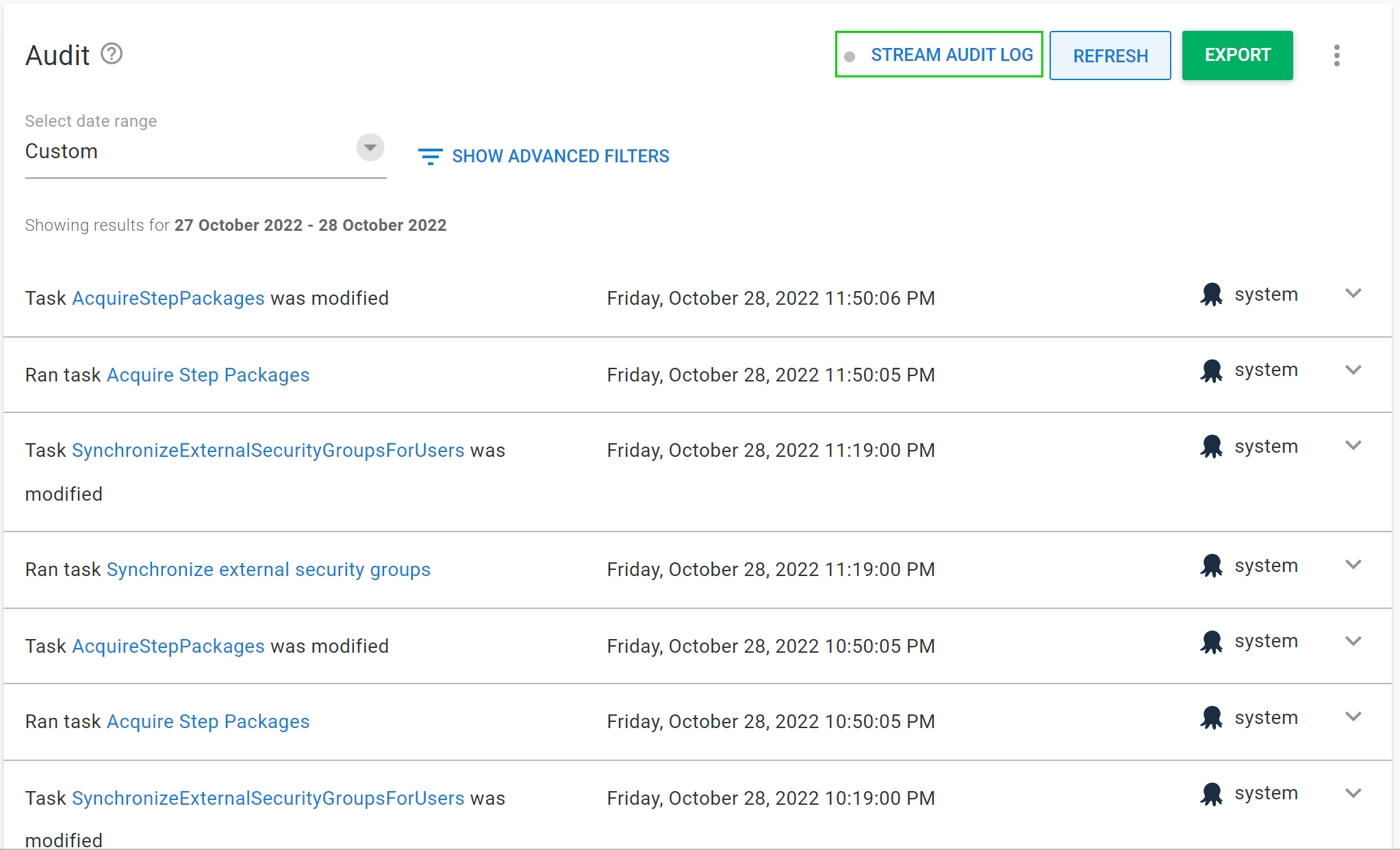
You can configure the audit stream from the Audit page in the Configuration area. Click Stream Audit Log to open the configuration dialog.
We currently support streaming to OpenTelemetry (OTLP) compatible providers as well as directly to Splunk and Sumo Logic.
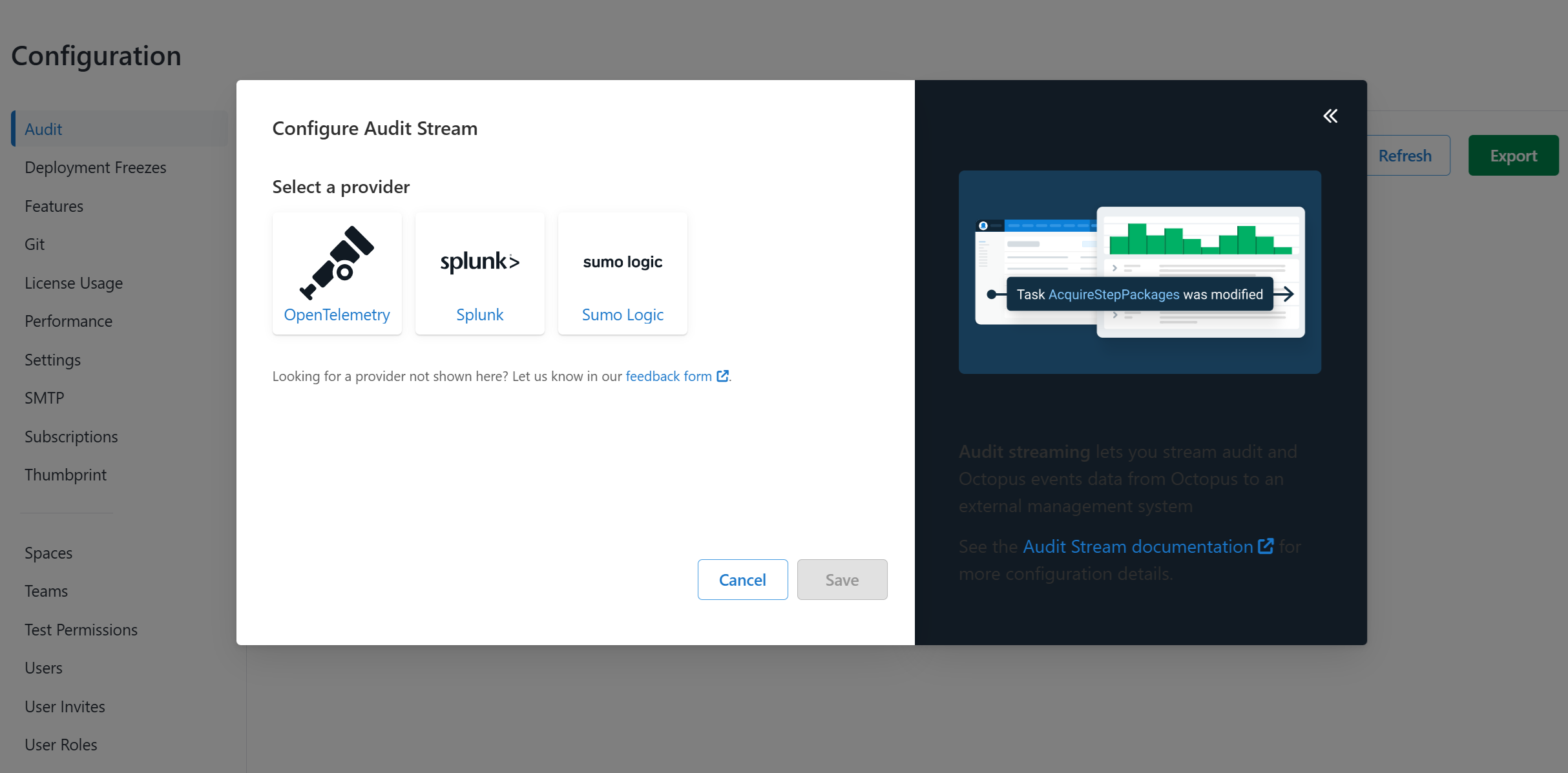
Looking to connect to a SIEM solution that is not currently supported? Let us know in our feedback form.
Streaming to OpenTelemetry (OTLP)
OpenTelemetry support is only available from Octopus 2024.4.6705 onwards.
Refer to your SIEM solution’s documentation on how to set up collection via OpenTelemetry. Some providers may support OTLP directly, while others recommend hosting your own OpenTelemetry Collector and use one of the exporters to forward the data to the SIEM.
Once you have set up the collector, you will need to provide the connection details in Octopus:
- OpenTelemetry Endpoint URL - The collection endpoint. In most cases you will need to append
/v1to the url/logs - OTLP Protocol - The protocol to use,
HTTP(also known as/protobuf OTLP) or/HTTP gRPC - Secret - The authentication token to use, see below
- Header - Any HTTP headers that are required by the collector
There is no standard authentication mechanism for OpenTelemetry, so it has to be configured to suit the collector. If there is no authentication, leave the Secret blank. You can use the #{Secret} replacement token to insert the secret into the URL or the header values.
Common configurations are:
- Token in the URL - Remove the token from the URL and replace it with
#{Secret}. Place the token into theSecretfield. - Custom Header - Add a header with the required key and value of
#{Secret} - Bearer Authentication - Add a header with key
Authorizationand valueBearer #{Secret}orBearer #{Secret | ToBase64}if the secret needs to be Base64 encoded
Streaming to Splunk
An HTTP Event Collector is required to stream audit events to Splunk. See the Splunk documentation for how to set up an HTTP Event Collector. Once you have set up a collector, you will need to provide two configuration values in Octopus:
- Splunk Endpoint URL: The base URL of your Splunk instance
- Token: The Token Value of your HTTP Event Collector
Streaming to Sumo Logic
An HTTP Logs and Metrics Source is required to stream audit events to Sumo Logic. See the Sumo Logic documentation for how to set up an HTTP Logs and Metrics Source. Once you have set up a collector, you will need to provide a single configuration value in Octopus:
- Sumo Logic Endpoint URL: The URL of your HTTP Source. This is treated as a sensitive value as the token for the collector is included in the URL
Updating the Audit Stream
Once you have saved an initial configuration of the audit stream, the status on the UI will update to reflect that streaming is now enabled. Any new audit events will also be streamed to your SIEM solution.
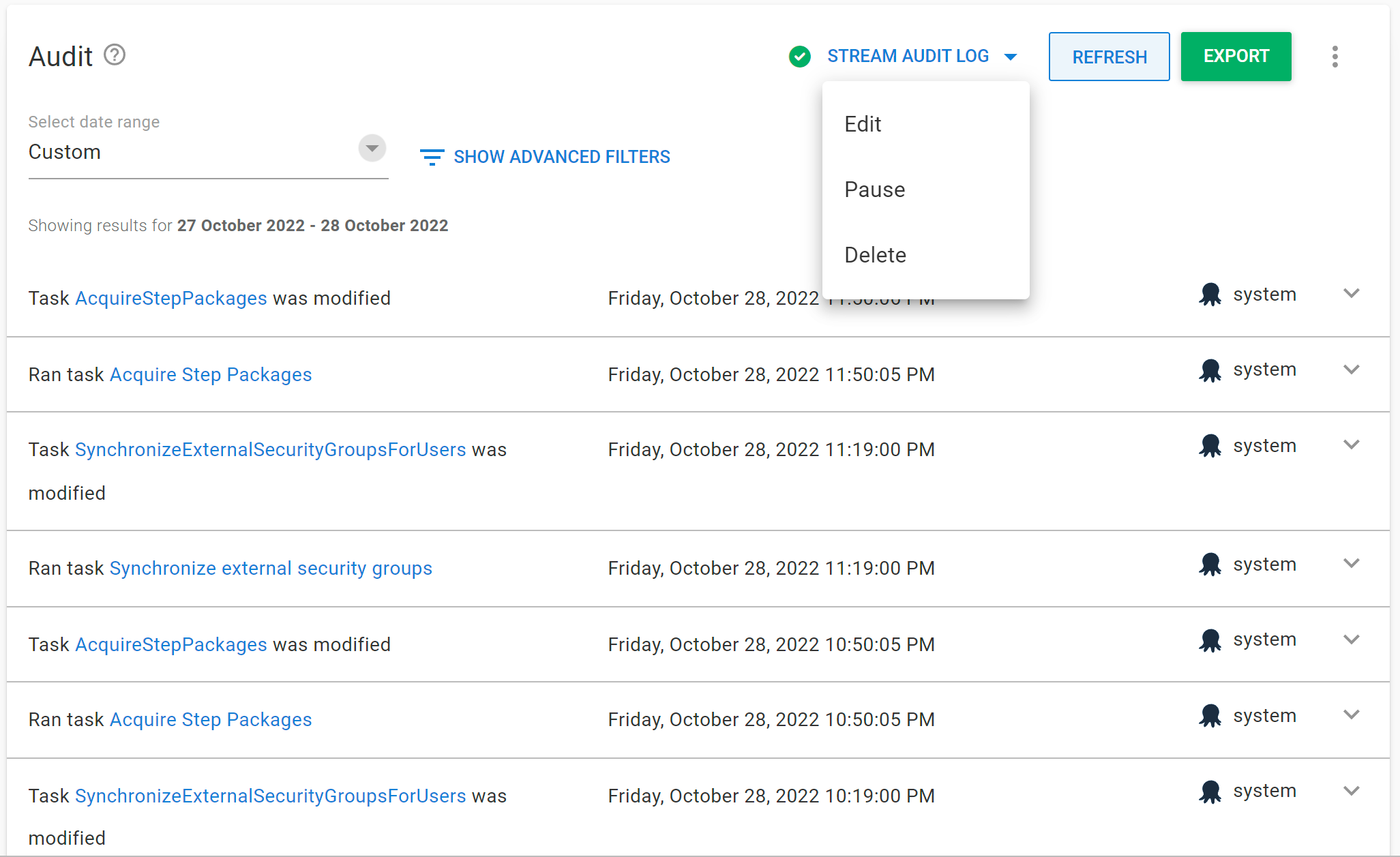
You can change the audit stream configuration by clicking Stream Audit Log again. This will open a pop-up menu with the following options:
- Edit: You can select a different SIEM provider or make changes to the configured endpoint.
- Pause/Resume: You can pause audit streaming, preventing any new audit events from being streamed to the configured endpoint. This will show as Resume if the audit stream is already paused.
- Delete: You can delete the audit stream configuration, which will clear any data relating to the audit stream and prevent any new audit events from being streamed.
Streamed event properties
Streamed events include properties that describe what happened and who performed the action. Properties with no value are omitted. For example, an action taken by someone signed in to the portal has no API key, service account, or OAuth client properties.
| Property | Description |
|---|---|
Username |
The username of the user who raised the event. |
UserId |
The ID of the user who raised the event. |
ActorType |
The kind of actor that raised the event: User, ServiceAccount, Agent (an AI agent), System, or Unknown. |
Actor |
A human-readable description of the actor. |
OnBehalfOf |
The ID of the user an AI agent acted on behalf of. |
ApiKeyActorType |
Whether the API key used is held by a person or an AI agent: User or AiAgent. |
ServiceAccountType |
The kind of service account used: Standard or Agent. |
ApiKeyId |
The ID of the API key used. |
ApiKeyHint |
The first few characters of the API key used. |
IdentityEstablishedWith |
How the user identified themselves, such as Session cookie or OAuth access token. |
UserAgent |
The user agent header from the request that raised the event. |
IpAddress |
The IP address the request came from. |
ActorOAuthClientId |
The client ID of the OAuth client the access token was issued to. |
ActorOAuthClientName |
The name of the OAuth client. |
ActorOAuthClientRedirectUri |
The redirect URI of the OAuth client. |
ActorOAuthClientIsLoopbackRedirect |
Whether the authorization code went to a loopback redirect. |
Category |
The kind of change, such as Created or Deleted. |
SpaceId |
The space the event was raised in. |
ProjectId, ReleaseId, DeploymentId, EnvironmentId, TenantId |
The IDs of related documents, when available. |
Differences |
The changes recorded against the event. |
User includes both people using the portal and scripts using their credentials. Octopus can’t distinguish between them from the credentials alone. Unknown means Octopus couldn’t determine the actor type, or the event was recorded before actor types were available.
Use ActorType to identify agent activity in your SIEM. When an agent uses an AI agent API key from someone’s account, the event includes that person’s username and an ActorType of Agent.
The OAuth client supplies ActorOAuthClientName and ActorOAuthClientRedirectUri. These values don’t prove the client’s identity, so don’t use them as trusted identifiers in detection rules.
Version notes
- Actor attribution on streamed events (
ActorType,Actor,OnBehalfOf,ApiKeyActorType,ServiceAccountType,ApiKeyId,ApiKeyHint,IdentityEstablishedWith,UserAgent,UserId, and theActorOAuthClientproperties) is available from Octopus Server 2026.4.6658. Before that version, streamed events carried only the username, IP address, space, category, related document IDs, and differences.